In today’s digital world, a logo is not just a symbol; it’s essential for your brand identity. Businesses, whether they are new ventures or established firms, need a logo that is memorable and professional.
AI logo generators make it easy and affordable to create impressive designs. Among the top players in the AI logo market are Design.com, Canva, and Shopify Logo Maker. Let’s take a closer look at each platform and see which one stands out.
Comparison Chart
|
Feature |
Design.com |
Canva |
Shopify Logo Maker |
|
AI Suggestions |
Advanced, industry-specific |
Template-based |
Basic suggestions |
|
Customization |
High – icons, text, colors, layouts, shapes |
Medium – drag-and-drop |
Low – simple edits |
|
Logo Library |
400K+ templates, 750+ fonts, 62K shapes |
Thousands of templates, fonts, icons |
Few templates, minimal fonts |
|
Output Formats |
SVG, EPS, PDF, PNG, JPG, GIF, MP4 |
PNG, JPG, limited SVG |
PNG, JPG only |
|
Branding Tools |
50+ tools: websites, flyers, presentations, social media |
Design templates, brand kits, social graphics |
Logos only |
|
Exclusivity |
Exclusive logos, fonts, shapes |
Medium – reused templates |
Low – generic |
|
Commercial Safety |
100% safe and original |
Medium – template restrictions |
Safe, basic usage |
|
Ease of Use |
Beginner-friendly |
Very easy |
Extremely simple |
|
Collaboration |
Polls, team feedback |
Real-time team edits |
Share for feedback |
|
Pricing |
Free & premium |
Free & premium |
Free & paid tier |
|
Ideal For |
Businesses needing unique branding |
Quick DIY logos and designs |
Shopify store owners needing a fast logo |
Design.com
Design.com is often seen as the best AI logo generator. Its platform uses advanced AI algorithms and a user-friendly design interface, allowing users to create logos that are visually appealing and fitting for their brand.
Strengths
- Huge Library: Over 400,000 logo templates, more than 750 fonts, 62,000 vector shapes.
- AI Tools: Logo generator, business cards, flyers, posters, presentations, websites, background remover, business name generator.
- Smart Editing: Edit icons and text with AI chat. Copyright-safe edits.
- Exclusive Designs: Templates, fonts, and shapes unique to Design.com.
- Flexible Licensing: Extended licenses allow exclusive logo use.
- Commercial Safety: All logos checked for originality and quality.
Quality Check
- Quality: Delivers professional, print-ready logos with exclusive design assets like fonts, shapes, and transparent formats.
- Quantity: Offers a large template library and a wide range of branding tools, including websites, flyers, menus, and more.
- Speed: Provides a beginner-friendly interface with fast logo creation and a quick customization workflow.
- AI Features: Uses AI-powered tools for logo generation, full branding suites, and multi-language and multi-currency support.
Cons
Not heavily developer-oriented, but ideal for non-technical users who want instant branding without complexity.
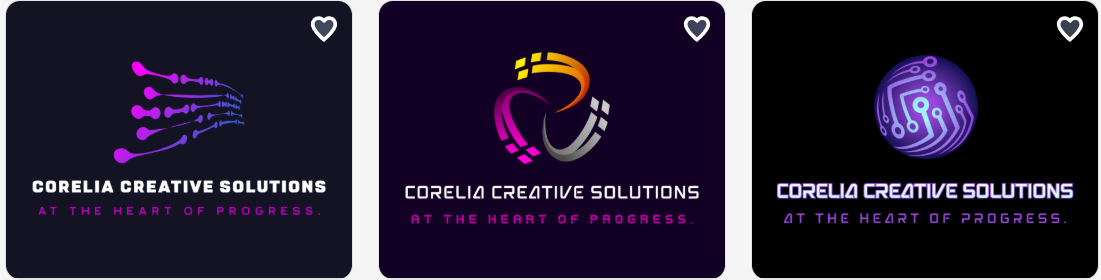
Design.com is more than a logo maker. It is a complete branding platform.
Canva
Canva is an all-in-one design platform. Its AI logo maker is based on templates, yet very flexible.
Strengths
- Template Library: Thousands of logo templates, fonts, and icons.
- AI Tools: Logo generator, social media graphics, flyers, presentations, posters, and more.
- Smart Editing: Drag-and-drop interface. Easily change colors, fonts, and shapes.
- Collaboration: Real-time team editing and feedback.
- Brand Kits: Create color palettes, typography, and brand assets.
- Commercial Safety: Many templates are free for commercial use.
Quality Check
- Quality: Produces clean, user-friendly designs with reliable export options like PNG, JPG, and limited SVG.
- Quantity: Offers a wide range of tools, including templates, photo editing, video creation, charts, and animations.
- Speed: Enables quick design creation with easy-to-use tools and fast export options.
- AI Features: Provides AI-assisted design support through templates and automated creative tools for faster content creation.
Pros
- Easy to use for beginners.
- Large library of templates and assets.
- Team collaboration features.
- Free tier available.
Cons
- Logos can feel generic.
- Limited vector downloads.
- Templates are often reused.
Canva is ideal for quick, attractive logos and multi-purpose design projects. It is less exclusive and professional than Design.com.
Shopify Logo Maker
Shopify Logo Maker is mostly designed for online store owners. It is fast and straightforward.
Strengths
- AI Logo Suggestions: Enter brand name and tagline to get ideas.
- Smart Editing: Change colors, fonts, and icons.
- Integration: Works directly with Shopify stores.
- Commercial Safety: Logos are free to use in your business.
Quality Check
- Quality: Produces simple, clean logos suitable for basic branding and digital use.
- Quantity: Focuses mainly on logo creation with limited design tools and outputs.
- Speed: Very fast and beginner-friendly with a quick, streamlined logo-making process.
- AI Features: Offers automated logo generation with basic customization options and Shopify integration.
Cons
- Limited customization.
- Logos may feel generic.
- No extended branding tools.
Shopify Logo Maker works for small eCommerce businesses. It is simple but limited compared to Design.com and Canva.
Final Choice
Choosing the right logo maker depends on your needs, including how much customization you want, whether you require a full branding toolkit, the available file formats and printing options, collaboration features for teams, and how easy the platform is to use with its learning curve.
For a platform that offers advanced AI editing, a large library, and multiple branding tools in one place, you might explore Design.com for your next logo project.